Every scaffold up, adapted and struck, with the photos to prove it.
Tube and fitting or system, domestic or commercial, the arguments are the same: what went up, when it was adapted, and whether it was signed over. Banksman keeps a dated photo record of every lift, the gang’s hours per job, and the gear and transport orders that keep the wagons moving.
- Four fields and you're straight into the real app, no card, ever
- Every plan includes every feature, from £79/month inc. VAT
- Speak to Dom or Matt: real people, no call centres

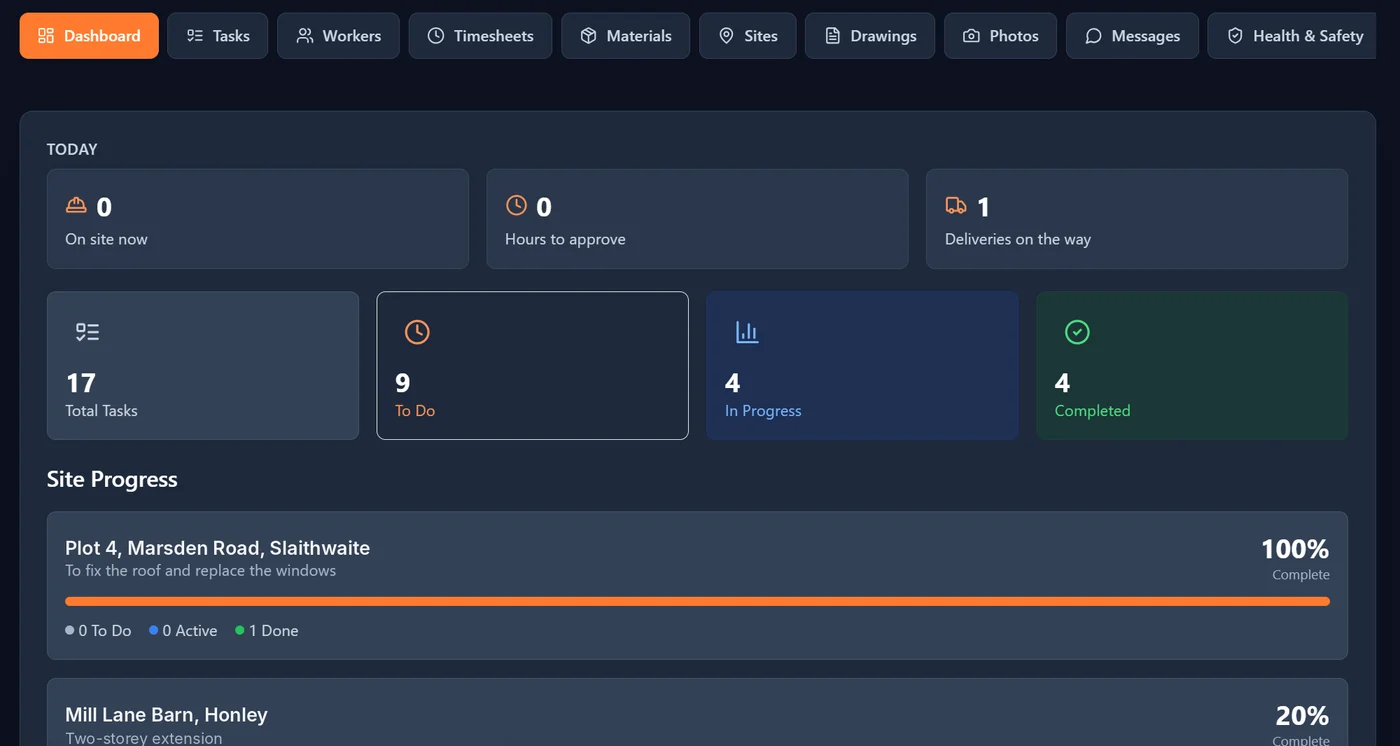
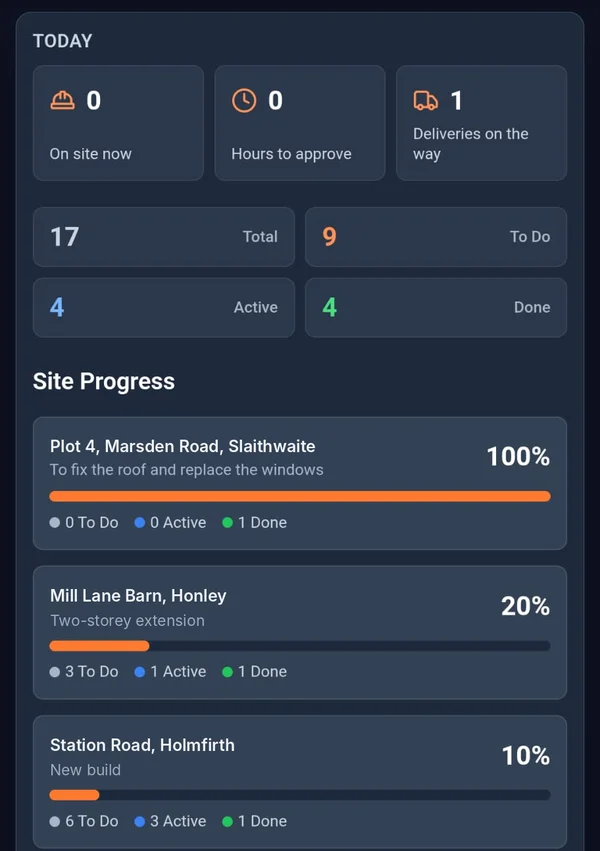

Where a scaffolding firm loses money.
- The problem
The builder says the adaption was never asked for.
An extra lift, a loading bay or a move for the roofer, agreed on a phone call and disputed on the invoice.
With BanksmanSet every erect, adaption and strike as a task on the job. The chargehand ticks it off with photos, stamped with the upload time from our server, the site and who took them, so the record is there when the invoice goes in.
- Tasks with photo proof
- Photo library
- The problem
Gangs on six jobs and the hours on scraps of paper.
Two hours on one job, a strike on another, travel in between. Friday’s sheet never adds up.
With BanksmanThe gang logs daywork or price work per site on the day. You approve or query it with a reason, and the week exports to CSV for wages.
- Timesheets
- The problem
Short on boards or fittings when the wagon’s already left the yard.
Someone needed another twenty boards and a box of doubles, and told nobody.
With BanksmanThe chargehand requests the gear with a quantity and needed-by date. The yard approves it and the gang can see when it’s loaded and on its way.
- Material requests
What you get.
Tasks with photo proof
The manager sets the task for each site, with a trade, priority and due date. The worker ticks it off and adds the photo to prove it. Filter by site, trade, status or priority.
Photo library
Every photo is stamped with the upload time from our server, the site, the task and who took it. Location is optional, set by the company.
Timesheets
Daywork hours or price work per site or plot. The manager approves or queries with a reason, the worker fixes and resubmits. Grouped by week ending, CSV export, archived when paid.
Material requests
The worker asks for the item, quantity, unit and needed-by date. Tracked from requested to approved, ordered, dispatched and delivered (or declined), with supplier, order ref, expected delivery and a delivery photo.
Health and safety documents with sign-off
Inductions, RAMS and safety procedures on every phone. Each worker reads and signs with their finger, a new revision asks everyone to sign again, and you see who has signed what.
Site sign-in and sign-out
Sign in and out with a QR poster on site, with an optional location check at that moment only, and a fire roll call of who’s on site right now.
Accident and near-miss reports
Report an accident or near miss from the phone, with stamped photos, while it’s fresh. Only the person who reported it and the managers can see it.
Site group chats and direct messages
A group chat for every site, plus direct messages, kept apart from your personal phone chats.
Push notifications
Notifications go straight to the phone, so updates don’t sit unread.
Being built now.
These aren't in the app yet. They're marked "Coming soon" until they are.
Card and certificate expiry tracking Coming soon
Keep track of CSCS, CPCS and other cards, and see what’s about to run out.
Plant pre-start checks Coming soon
Daily pre-start checks for plant, done on the phone before the key goes in.
CIS worker invoices Coming soon
Invoices for CIS workers built from their approved timesheets.
Worth a read.
- Site management · 2 min readDaywork vs Price Work: How to Log Hours Without an ArgumentThe difference between daywork and price work, and how to record each one properly so nobody argues about hours at the end of the week.Read the guide →
- Site management · 4 min readHow to Avoid Subcontractor Payment Disputes: A Guide to Proof of Work on SiteMost subcontractor payment disputes in the UK come down to missing proof. Here's how to record hours, sign off daywork and handle payment notices properly.Read the guide →
- Site management · 3 min readHow to Manage Site Inductions and RAMS Without Piles of PaperworkSite inductions and RAMS eat hours of admin. Here's what the law actually requires, and how to keep them current without a cabin full of paper.Read the guide →
Free tools and comparisons
Straight answers.
What app do scaffolding companies use to record jobs?
Banksman gives each scaffold job its own tasks, photos, hours, material requests and chat. Erects, adaptions and strikes are tasks ticked off with dated photos, so you have a record of what was up and when.
Can Banksman replace our scaffold inspection register?
No. Banksman is not a statutory inspection register or handover certificate system. You can keep dated photos of each scaffold and set inspections as tasks, but check your own legal duties and keep using your inspection records.
Can scaffolders sign RAMS on their phone?
Yes. Upload RAMS and method statements, and each scaffolder reads and signs with their finger. You can see who has signed which revision, and accidents or near misses can be reported from site with photos.
Does it track CISRS cards?
Not yet. Card and certificate expiry tracking is being built and is marked "Coming soon" until it is live.
Can I log daywork for adaptions separately from price work?
Yes. Daywork and price work go on the same timesheet but stay separate, so adaptions and extras are clear when the invoice goes in. The manager approves or queries each entry with a reason.
Can the yard see what gear is needed for tomorrow?
Yes. Chargehands request boards, tube, fittings or system kit with a quantity and needed-by date. The yard approves it and the gang can see it go from ordered to loaded and delivered.
Can I photograph a scaffold at handover?
Yes. Set handover as a task and photograph the scaffold when it is signed over. The photos are stamped with the upload time from our server, the site and who took them. Keep using your handover certificates as well.
Do scaffolders need to download an app?
No. Banksman runs in the phone’s web browser and can be added to the home screen, so it opens like any other app without an app store. You invite the team by email and they log in on their own phone.
How do I work out CIS deductions?
Use the free CIS calculator on this site. CIS worker invoices built from approved timesheets are being built in Banksman and are marked "Coming soon".
Keep a record of every lift.
The live demo is the actual app on realistic sample data. Four fields and your logins are on the next page. No card.
Speak to Dom or Matt: real people, no call centres.
Dom: 07508 300353 · Matt: 07964 660071