Hand over on time, with every snag signed off and photographed.
Office refurbs, shopfits, Cat A and Cat B: a fit-out is a stack of trades on a fixed date. Partitions, drylining, ceilings, joinery, M&E and decoration all need to land in order. Banksman keeps the tasks, snags, photos, hours and deliveries for every floor in one place, so handover day doesn’t turn into a scramble.
- Four fields and you're straight into the real app, no card, ever
- Every plan includes every feature, from £79/month inc. VAT
- Speak to Dom or Matt: real people, no call centres


What slips on a fit-out.
- The problem
The snag list lives on a clipboard and three email chains.
The client walks round, adds twenty items, and by Friday nobody knows which ones are done.
With BanksmanAdd each snag as a task against the site, with a trade, a priority and a due date. The operative ticks it off with a photo, and you can filter by trade or status to see what’s left before handover.
- Tasks with photo proof
- Photo library
- The problem
Night shifts and weekend work that nobody can account for.
Out-of-hours working in a live building, three gangs on rotation, and the hours come in by text.
With BanksmanHours are logged per site on the day, approved or queried with a reason, and grouped by week ending with a CSV export for wages.
- Timesheets
- The problem
Boards and ceiling grid turning up before there’s anywhere to store them.
Limited storage, a loading bay you get for an hour, and a delivery that arrives on the wrong day.
With BanksmanEvery material request has a needed-by date, the supplier, the order ref and the expected delivery, so the site knows what’s coming and when. The delivery photo shows what actually turned up.
- Material requests
What you get.
Tasks with photo proof
The manager sets the task for each site, with a trade, priority and due date. The worker ticks it off and adds the photo to prove it. Filter by site, trade, status or priority.
Photo library
Every photo is stamped with the upload time from our server, the site, the task and who took it. Location is optional, set by the company.
Timesheets
Daywork hours or price work per site or plot. The manager approves or queries with a reason, the worker fixes and resubmits. Grouped by week ending, CSV export, archived when paid.
Material requests
The worker asks for the item, quantity, unit and needed-by date. Tracked from requested to approved, ordered, dispatched and delivered (or declined), with supplier, order ref, expected delivery and a delivery photo.
Drawings for every site
Drawings on every phone, labelled by version, sorted by site and downloadable on site.
Site group chats and direct messages
A group chat for every site, plus direct messages, kept apart from your personal phone chats.
Site sign-in and sign-out
Sign in and out with a QR poster on site, with an optional location check at that moment only, and a fire roll call of who’s on site right now.
Health and safety documents with sign-off
Inductions, RAMS and safety procedures on every phone. Each worker reads and signs with their finger, a new revision asks everyone to sign again, and you see who has signed what.
Manager dashboard
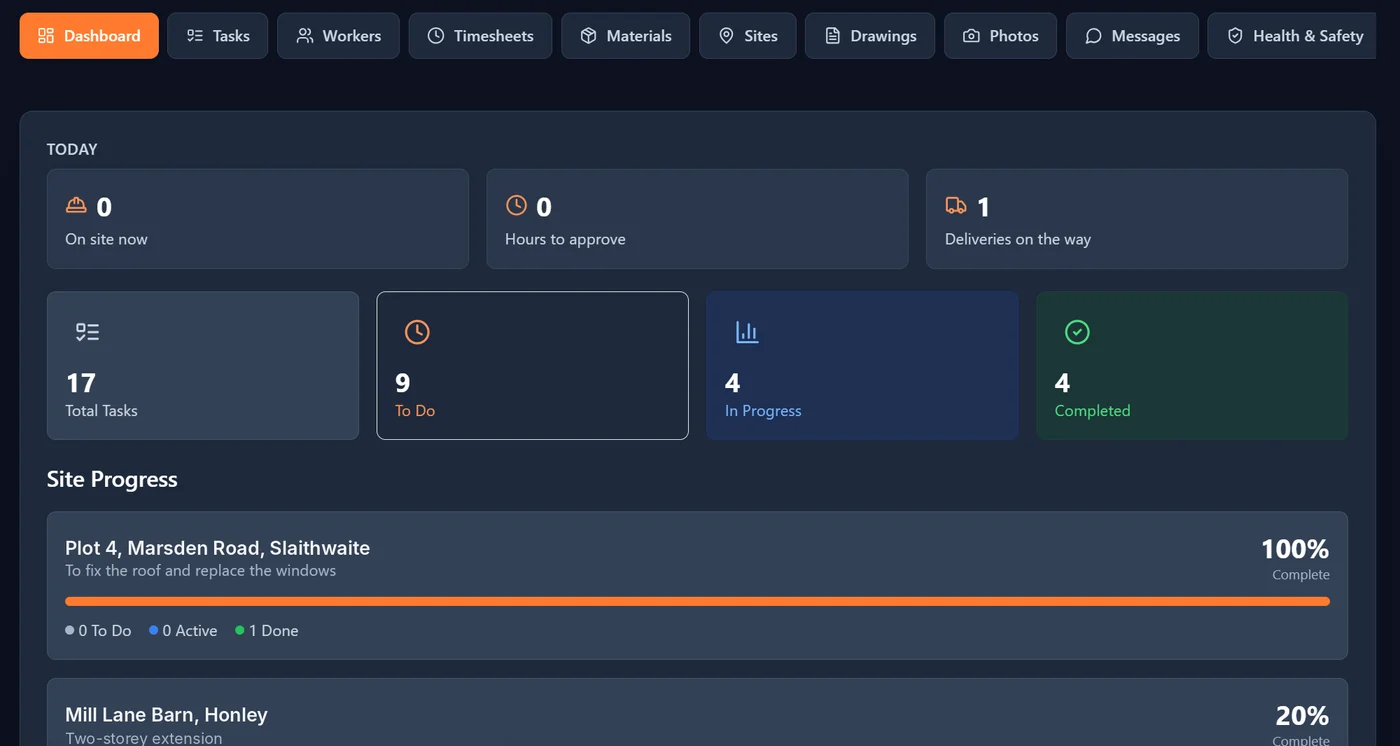
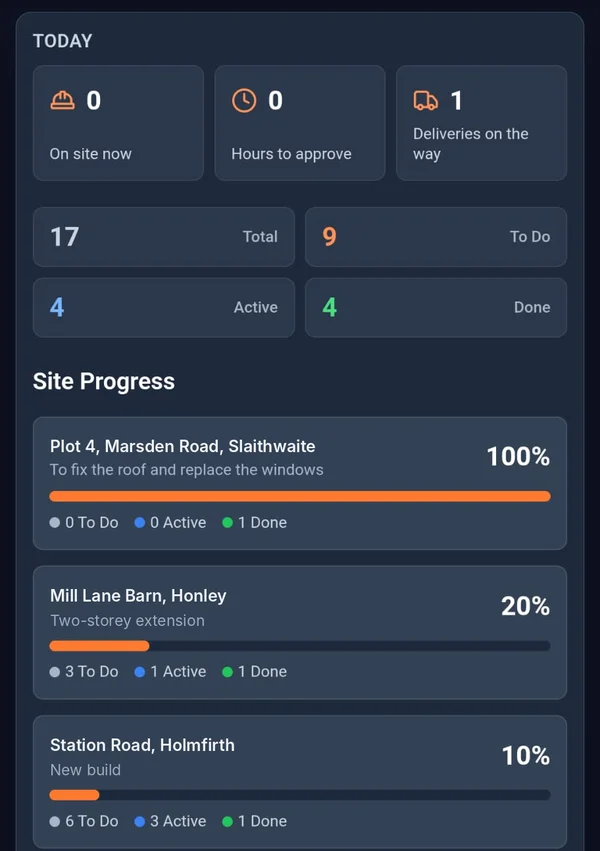
Who’s on site now, hours waiting for approval, deliveries on the way and how far along every site is, on one screen.
Labour cost per job
Approved hours times each worker’s rate, so you can see what a job is costing in labour.
Being built now.
These aren't in the app yet. They're marked "Coming soon" until they are.
Card and certificate expiry tracking Coming soon
Keep track of CSCS, CPCS and other cards, and see what’s about to run out.
Offline mode Coming soon
Saves your work when there’s no signal and syncs when you’re back in range.
Worth a read.
- Choosing software · 2 min readBanksman vs Fieldwire: Which Is Right for a 10-Person Building Firm?A balanced comparison of Banksman and Fieldwire for a small UK building firm, covering setup, features and the kind of team each one is built around.Read the guide →
- Site management · 2 min readWhat Is a Construction Site Diary App?A construction site diary app records daily site activity (tasks, hours, materials and photos) digitally instead of on paper. Here's how it works.Read the guide →
- Site management · 4 min readHow to Avoid Subcontractor Payment Disputes: A Guide to Proof of Work on SiteMost subcontractor payment disputes in the UK come down to missing proof. Here's how to record hours, sign off daywork and handle payment notices properly.Read the guide →
Free tools and comparisons
Straight answers.
What is the best snagging app for interior fit-out?
One the whole team will use on site. In Banksman each snag is a task with a trade, priority and due date; the operative ticks it off with a photo, and you can filter by trade or status to see what is outstanding before handover.
Can I manage several trades on one fit-out in Banksman?
Yes. Tasks can be set with a trade, so partitions, drylining, ceilings, joinery and decorating can be tracked on the same site, and the manager dashboard shows progress across every site.
Can operatives sign site inductions on their phone?
Yes. Upload the induction, RAMS and site rules; every operative reads and signs on the phone, and a new revision asks everyone to sign again. QR sign-in at the entrance gives you a live roll call of who is in the building.
Does Banksman produce O&M manuals?
No. Banksman keeps the photos, drawings and records for the job, which you can export, but it does not compile O&M manuals.
Can I track out-of-hours work in a live building?
Yes. Night and weekend hours are logged per site on the day, then approved or queried with a reason, so every shift is accounted for before it goes to wages.
Can I see who is in the building for fire safety?
Yes. Put a QR poster at the entrance and the team scans in and out with their phone. You can set a radius for each site so sign-ins from further away get flagged, and the dashboard shows a live roll call of who is on site, including for a fire evacuation. Location is checked at sign-in only, never tracked.
Can I keep drawings and finishes schedules on site?
Yes. Drawings and schedules go on every phone, sorted by site and labelled by version, so each trade can check which version they are working from.
How many users can I have on a fit-out?
Starter is £79 a month inc. VAT for up to 10 users, Growth is £149 a month inc. VAT for up to 25 and Enterprise is £299 a month inc. VAT for up to 75. Every plan includes every feature, with no contract and no per-seat charges.
Can I export records at handover?
Yes. Timesheets, tasks, materials, drawings and sites export to CSV, and every snag and stage has its dated photos kept against the site in the photo library.
Hand over with nothing left to chase.
The live demo is the actual app on realistic sample data. Four fields and your logins are on the next page. No card.
Speak to Dom or Matt: real people, no call centres.
Dom: 07508 300353 · Matt: 07964 660071