Stop losing half a day to the merchant for one fitting.
Plumbing and heating jobs stall on the little things: a fitting nobody ordered, a first fix pipe run nobody photographed, a message about the boiler position lost in a chat with the builder. Banksman keeps the orders, photos and messages for each job together.
- Four fields and you're straight into the real app, no card, ever
- Every plan includes every feature, from £79/month inc. VAT
- Speak to Dom or Matt: real people, no call centres

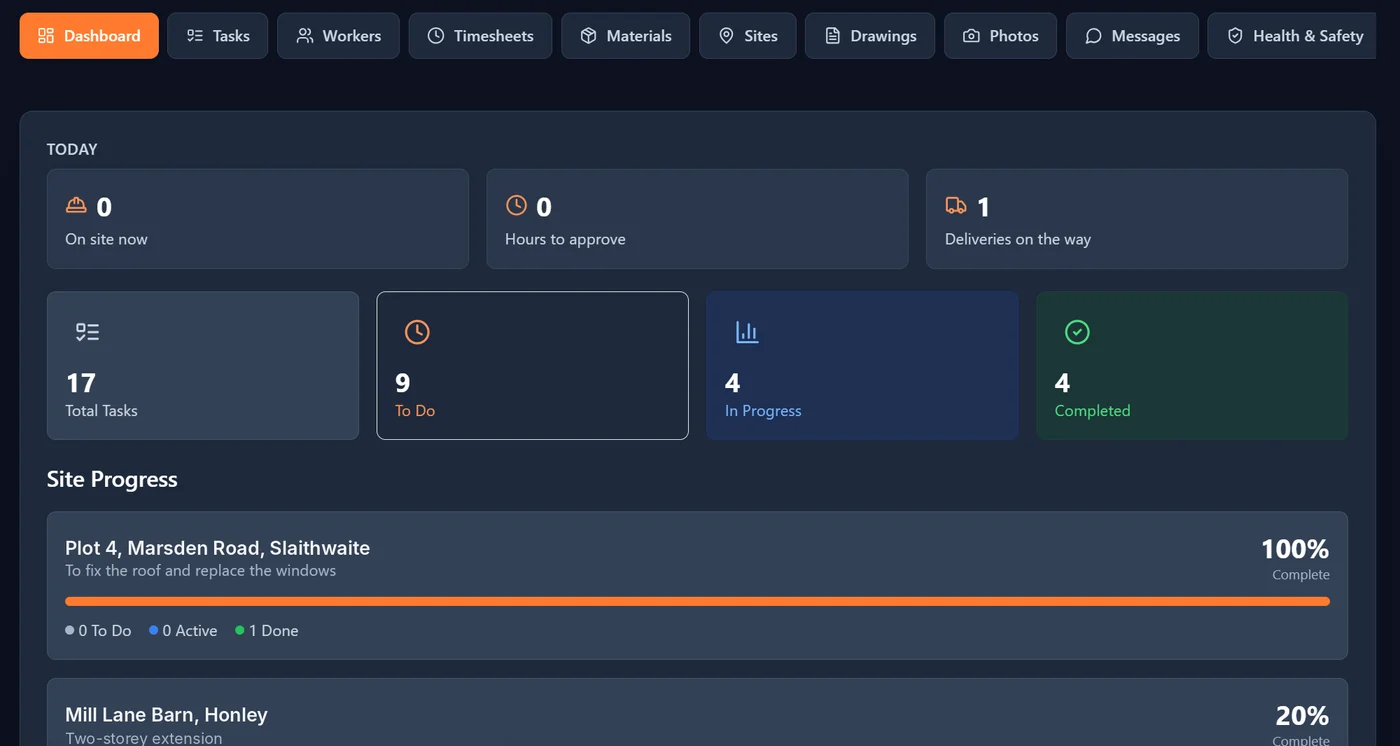
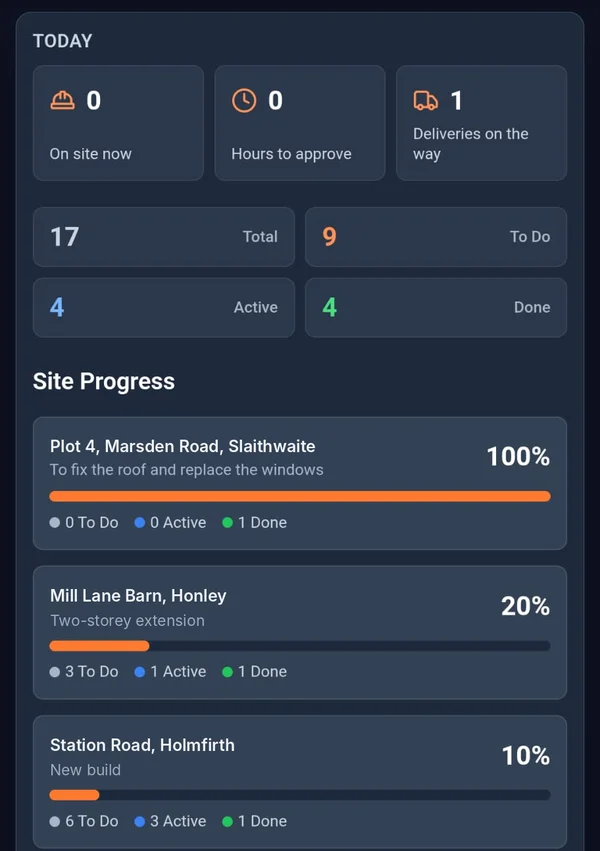

What stalls a plumbing job.
- The problem
The van’s short and nobody said.
The lad finds out he’s short a 15mm elbow or a valve at ten in the morning, and that’s the next hour gone at the merchant.
With BanksmanLads request what they need with the quantity and a needed-by date, before they need it. The office approves and orders, and adds the order ref and expected delivery.
- Material requests
- The problem
Pipework boxed in with no record of where it runs.
A leak behind the boxing a year later, and nobody can say where the joints are.
With BanksmanTake photos before it’s covered. They’re stamped with the upload time, site, task and who took them, and kept in the site’s photo library.
- Photo library
- Tasks with photo proof
- The problem
Job talk spread across five chats.
One with the builder, one with the client, one with the lads and a couple you’ve muted.
With BanksmanEach site gets its own group chat, and there are direct messages for one-to-one. It all stays with the job, not mixed in with your family chats.
- Site group chats and direct messages
- Push notifications
What you get.
Material requests
The worker asks for the item, quantity, unit and needed-by date. Tracked from requested to approved, ordered, dispatched and delivered (or declined), with supplier, order ref, expected delivery and a delivery photo.
Photo library
Every photo is stamped with the upload time from our server, the site, the task and who took it. Location is optional, set by the company.
Tasks with photo proof
The manager sets the task for each site, with a trade, priority and due date. The worker ticks it off and adds the photo to prove it. Filter by site, trade, status or priority.
Site group chats and direct messages
A group chat for every site, plus direct messages, kept apart from your personal phone chats.
Push notifications
Notifications go straight to the phone, so updates don’t sit unread.
Timesheets
Daywork hours or price work per site or plot. The manager approves or queries with a reason, the worker fixes and resubmits. Grouped by week ending, CSV export, archived when paid.
Drawings for every site
Drawings on every phone, labelled by version, sorted by site and downloadable on site.
Installs like an app
Add it to the home screen and it opens like any other app. No app store needed.
Your logo and colours
Upload your logo and app icon and pick your colours from the settings, with a readability check as you go. The lads see your name, not ours.
Labour cost per job
Approved hours times each worker’s rate, so you can see what a job is costing in labour.
Being built now.
These aren't in the app yet. They're marked "Coming soon" until they are.
Offline mode Coming soon
Saves your work when there’s no signal and syncs when you’re back in range.
Urgency on material requests Coming soon
Mark a material request as urgent so the office knows what to chase first.
Worth a read.
- Site management · 4 min readHow to get your building site off WhatsApp (without losing the lads)WhatsApp groups work until they don't. A bricklayer's guide to moving your site's tasks, photos, hours and drawings somewhere you can actually find them.Read the guide →
- Site management · 2 min readHow to Stop Losing Drawing Revisions on SiteOut-of-date drawings on site cause rework and disputes. Here's why it keeps happening and how to make sure everyone's working off the current version.Read the guide →
- Site management · 4 min readHow to Avoid Subcontractor Payment Disputes: A Guide to Proof of Work on SiteMost subcontractor payment disputes in the UK come down to missing proof. Here's how to record hours, sign off daywork and handle payment notices properly.Read the guide →
Free tools and comparisons
Straight answers.
What app can plumbers use to manage jobs and materials?
Banksman gives each job its own material requests, photos, tasks, hours and group chat. The team requests fittings with a quantity and needed-by date, and the office approves, orders and tracks them to delivery.
How do I keep a record of pipework before it is boxed in?
Photograph first fix pipe runs, joints and manifolds before they are covered. Banksman stores each photo against the site and task, stamped with the upload time and who took it.
Is Banksman suitable for heating engineers and bathroom installs?
Yes. Any job with a team, materials and work that gets covered up fits: boiler swaps, underfloor heating, bathroom refits or new-build plumbing.
Does Banksman do Gas Safe certificates or invoicing?
No. Banksman is for running the job on site. Keep your existing certificate and invoicing software; Banksman can export timesheets and other tables to CSV.
Can I track first and second fix plumbing per plot?
Yes. First fix and second fix are tasks per site or plot, ticked off with a photo, and push notifications let the next trade know when a plot is ready.
Can plumbers log their hours on their phone?
Yes. Hours or price work are logged per site on the day, approved or queried by the manager, grouped by week ending and exported to CSV for wages.
Can I keep photos of pressure tests?
Yes. Photograph the gauge and the pipework during the test and keep the photos against the task, stamped with the upload time from our server and who took them. It is a dated record, not a test certificate.
Do my engineers need to download an app?
No. Banksman runs in the phone’s web browser and can be added to the home screen, so it opens like any other app without an app store. You invite the team by email and they log in on their own phone.
Can engineers report an accident or near miss?
Yes. Accidents and near misses can be reported from the phone while it is fresh, with stamped photos. Only the person who reported it and the managers can see it, and each report has a status, actions and a RIDDOR flag. Check your own legal duties with your H&S adviser.
Keep every job in one place.
The live demo is the actual app on realistic sample data. Four fields and your logins are on the next page. No card.
Speak to Dom or Matt: real people, no call centres.
Dom: 07508 300353 · Matt: 07964 660071