Prove what’s in the ground before it’s backfilled.
Once the trench is filled in, nobody can see what you did down there. Drainage runs, duct routes, foundations and sub-base all disappear. Banksman keeps a photo record of the work, the daywork for the extras, and the stone, concrete and muck-away orders that keep a groundworks job moving.
- Four fields and you're straight into the real app, no card, ever
- Every plan includes every feature, from £79/month inc. VAT
- Speak to Dom or Matt: real people, no call centres

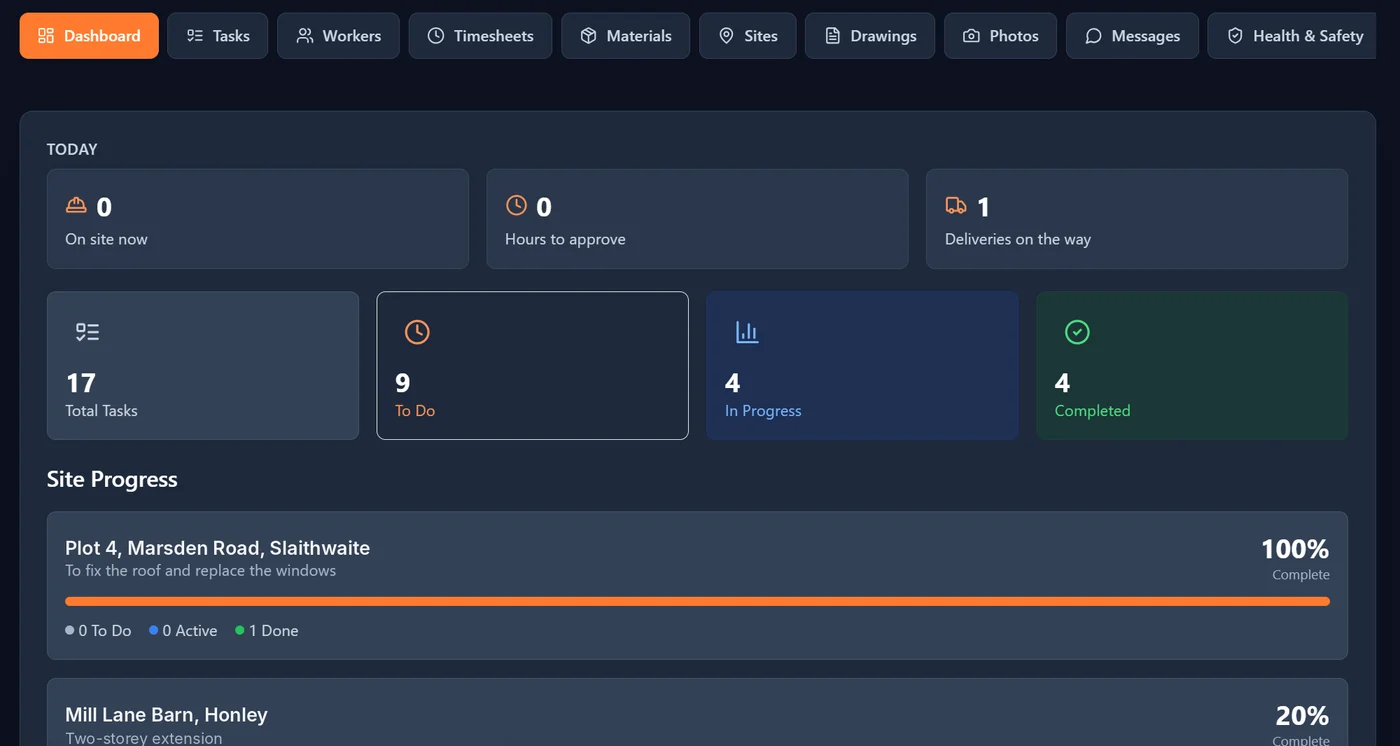
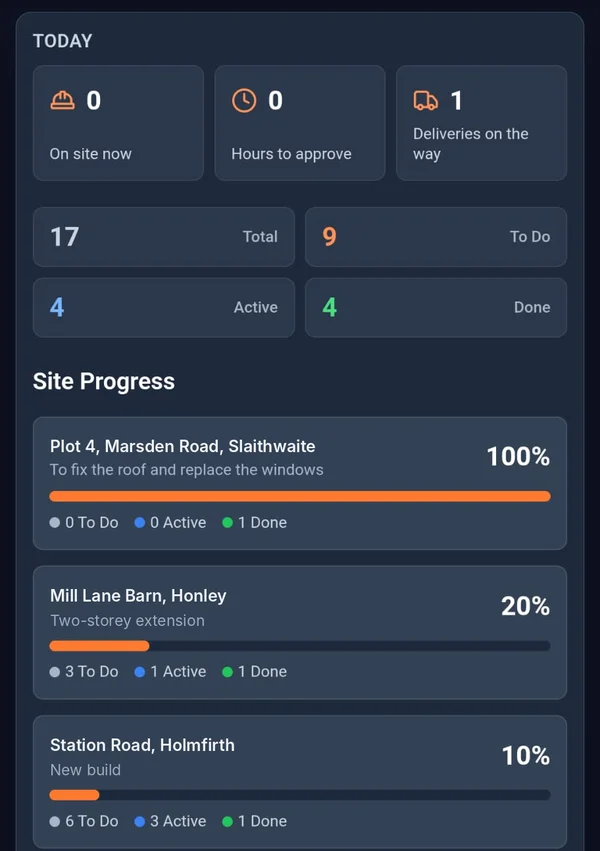

What gets buried with the trench.
- The problem
Six months on, someone asks how the drain was bedded.
The photos are on a phone that’s since been dropped in a trench, or buried in a group chat between a load of thumbs-ups.
With BanksmanPhotos go into the site’s library, stamped with the upload time from our server, the site, the task and who took them. You can add location too, if the company switches it on.
- Photo library
- Tasks with photo proof
- The problem
Daywork for the extras never gets signed for.
Digging out a soft spot or breaking out an old footing is exactly the work that gets argued over, and the sheet’s gone soggy in the cab.
With BanksmanLog the daywork hours against the site on the day. The manager approves it or queries it with a reason, and you can export it as a CSV when it’s time to put the bill in.
- Timesheets
- The problem
The concrete turns up before the shuttering’s ready, and the stone doesn’t turn up at all.
Readymix, Type 1 and pipe booked by phone, changed by text, and remembered by nobody.
With BanksmanEvery request shows the supplier, the order ref and the expected delivery. When it lands, the lad takes a photo of the drop, so there’s no argument about what came.
- Material requests
What you get.
Photo library
Every photo is stamped with the upload time from our server, the site, the task and who took it. Location is optional, set by the company.
Tasks with photo proof
The manager sets the task for each site, with a trade, priority and due date. The worker ticks it off and adds the photo to prove it. Filter by site, trade, status or priority.
Timesheets
Daywork hours or price work per site or plot. The manager approves or queries with a reason, the worker fixes and resubmits. Grouped by week ending, CSV export, archived when paid.
Material requests
The worker asks for the item, quantity, unit and needed-by date. Tracked from requested to approved, ordered, dispatched and delivered (or declined), with supplier, order ref, expected delivery and a delivery photo.
Site group chats and direct messages
A group chat for every site, plus direct messages, kept apart from your personal phone chats.
Drawings for every site
Drawings on every phone, labelled by version, sorted by site and downloadable on site.
Site sign-in and sign-out
Sign in and out with a QR poster on site, with an optional location check at that moment only, and a fire roll call of who’s on site right now.
Accident and near-miss reports
Report an accident or near miss from the phone, with stamped photos, while it’s fresh. Only the person who reported it and the managers can see it.
Push notifications
Notifications go straight to the phone, so updates don’t sit unread.
Installs like an app
Add it to the home screen and it opens like any other app. No app store needed.
Being built now.
These aren't in the app yet. They're marked "Coming soon" until they are.
Plant pre-start checks Coming soon
Daily pre-start checks for plant, done on the phone before the key goes in.
Offline mode Coming soon
Saves your work when there’s no signal and syncs when you’re back in range.
Card and certificate expiry tracking Coming soon
Keep track of CSCS, CPCS and other cards, and see what’s about to run out.
Worth a read.
- Site management · 2 min readWhy WhatsApp Groups Are a Liability on a Construction SiteWhatsApp is fine for a quick message, but it's a poor way to run a construction site. Here's why, and what to use instead.Read the guide →
- Site management · 2 min readDaywork vs Price Work: How to Log Hours Without an ArgumentThe difference between daywork and price work, and how to record each one properly so nobody argues about hours at the end of the week.Read the guide →
- Site management · 2 min readWhat Is a Construction Site Diary App?A construction site diary app records daily site activity (tasks, hours, materials and photos) digitally instead of on paper. Here's how it works.Read the guide →
Free tools and comparisons
Straight answers.
How do groundworkers prove drainage was laid correctly before backfill?
Take photos of each stage, such as bedding, pipe, connections and surround, before it is covered, and keep them against the site and task. Banksman stamps every photo with the upload time from our server, the site, the task and who took it, so the record is there if it is ever queried.
Is there an app for logging groundworks daywork?
Yes. In Banksman the team logs daywork hours against the site on the day, the manager approves or queries them, and the week exports to CSV, ready for the bill.
Can I track concrete and stone deliveries?
Yes. Each material request shows the quantity, needed-by date, supplier, order reference and expected delivery, and moves from requested to approved, ordered, dispatched and delivered, with a photo of the drop.
Does Banksman do plant checks?
Not yet. Daily plant pre-start checks are being built and are marked "Coming soon" until they are live.
Can I record ducts, drainage and chambers before they are buried?
Yes. Photograph each run, connection and chamber before backfill and keep the photos against the site and task. Every photo is stamped with the upload time from our server, the site, the task and who took it, and the company can turn on location too.
Can the gang sign excavation RAMS on their phone?
Yes. Upload RAMS, method statements and permits, and each operative reads and signs with their finger. A new revision asks everyone to sign again, and you can see who has signed what. Check your own legal duties with your H&S adviser.
Can I see which gang is on which site?
Yes. Put a QR poster at the entrance and the team scans in and out with their phone. You can set a radius for each site so sign-ins from further away get flagged, and the dashboard shows a live roll call of who is on site, including for a fire evacuation. Location is checked at sign-in only, never tracked.
Can I keep setting-out and drainage drawings on site?
Yes. Drawings go on every phone, sorted by site and labelled by version, and can be downloaded on site, so the gang can check which version they are setting out from.
Does Banksman track CPCS cards?
Not yet. Card and certificate expiry tracking for CSCS, CPCS and other cards is being built and is marked "Coming soon" until it is live.
Keep a record before it’s covered up.
The live demo is the actual app on realistic sample data. Four fields and your logins are on the next page. No card.
Speak to Dom or Matt: real people, no call centres.
Dom: 07508 300353 · Matt: 07964 660071